Changelog

Follow new updates and improvements to Abacor.

06.30.2026: Ask Abacor 2.0
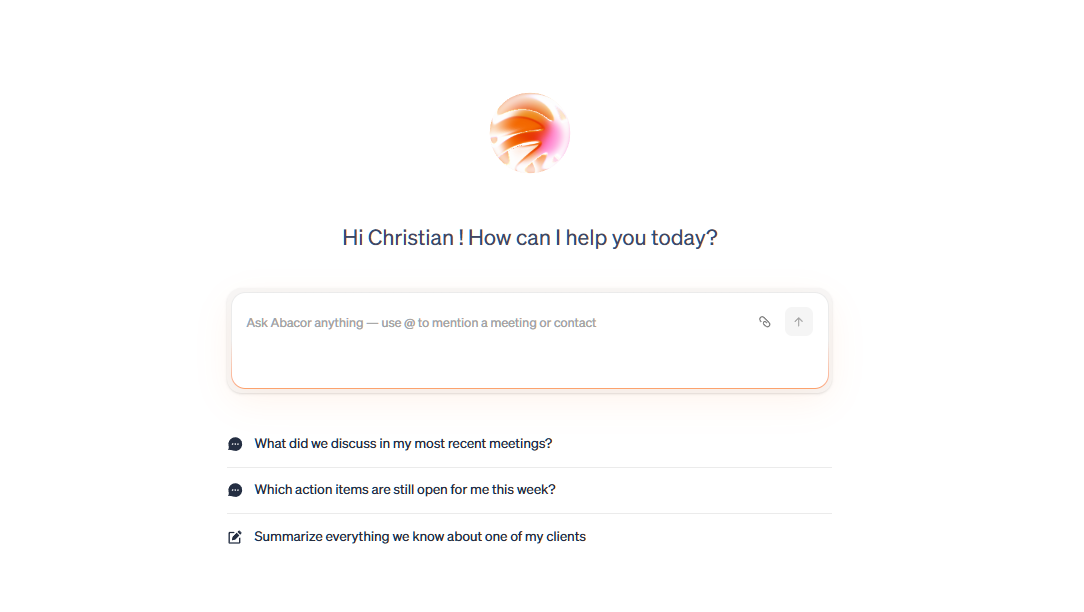
Exciting news! We're thrilled to announce our latest feature: Ask Abacor.

For the first time, you can ask questions across your entire Abacor platform in plain language — and get answers grounded in your actual workspace. No more digging through meetings, notes, or files to find what you need.

With Ask Abacor, you can:

  • @ mention specific meetings, clients, or contacts to focus your question

  • Upload files and ask Abacor to work with them directly

  • Search across notes, transcripts, summaries, and action items in seconds

  • Ask Abacor to fill in documents using your meeting and client context

  • Draft follow-ups and prep notes pulled straight from your workspace

Ask Abacor is now live.
06.23.2026: Connect Abacor to FYI

Connect Abacor and FYI, and push your meeting notes and action items straight into FYI the moment a client call wraps. No copying, no pasting, no switching tools.

Once the two are linked, every set of notes and action items Abacor captures during a meeting flows into FYI. The handoff happens right after your meeting ends, so what you discussed and what you committed to are already waiting for you in FYI by the time you're done.

What it does:

  • Pushes your call notes into FYI, the moment the meeting wraps

  • Sends action items over too, so nothing gets lost in the shuffle

  • Eliminates manual copy-paste between tools

  • Keeps your post-meeting workflow seamless from call to follow-up

Connect Abacor + FYI→ | Get the most out of it →

06.16.2026: Connect Abacor to Ignition

Connect Abacor and Ignition, and draft proposals the moment a new client call wraps, right inside Abacor.

Once the two are linked, Abacor uses its smart technology to read what happened on the call, suggest the right services, and spin up brand-new services on the fly. Approve them with a click and your proposal is ready to send. No switching tools, no rebuilding scope from memory, no starting from a blank template.

What it does:

  • Turns fresh call context into a ready-to-go proposal in seconds

  • Suggests services based on what the client actually asked for

  • Creates new services at the click of a button when nothing existing fits

  • Keeps you in Abacor from call to proposal

Connect Abacor + Ignition → | Get the most out of it →

Earlier updates